
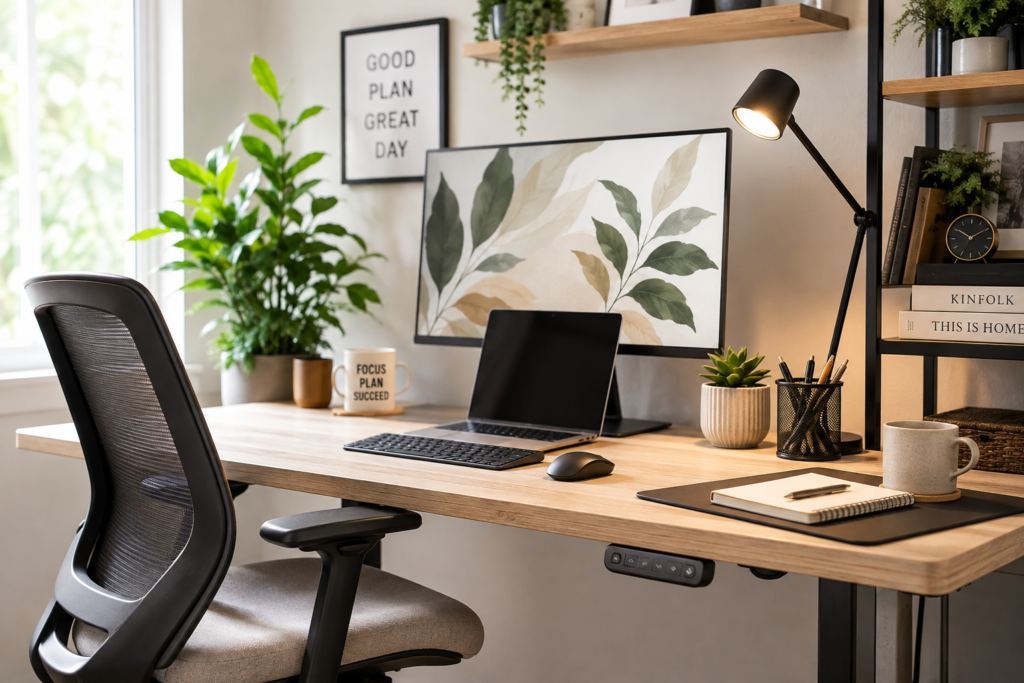
Creating a home office space that combines style and functionality can be a game-changer for remote work. With more people working from home, finding essentials that enhance comfort and productivity without sacrificing aesthetic appeal is a common challenge. Choosing the right items helps streamline daily tasks, reduce clutter, and create an inviting environment that supports focus and creativity.
This article explores a selection of home office essentials designed to meet various needs and budgets, making it easier to set up or upgrade a workspace that feels both practical and polished.
Affiliate disclosure: Some links in this article are affiliate links. If you make a purchase through an affiliate link, I may earn a commission at no additional cost to you. As an Amazon Associate I earn from qualifying purchases.
Product Roundup Overview
Setting up a remote workspace involves more than just a desk and chair. The right combination of furniture, accessories, and technology can address common issues such as poor posture, lack of organization, and uninspiring surroundings. This roundup covers a range of essentials including ergonomic seating, adjustable desks, lighting solutions, and organizational tools that collectively support a balanced work-from-home routine.
Each product has been selected for its ability to improve everyday functionality while maintaining a clean, stylish look. Whether the goal is to improve comfort during long hours of work or to add finishing touches that make the space inviting, these options offer practical benefits suited to diverse lifestyles and budgets.
What to Consider Before Choosing
Selecting home office essentials requires assessing your unique work habits, space constraints, and budget. Key considerations include:
- Ergonomics: Comfort is crucial for long work sessions. Look for adjustable chairs and desks that support healthy posture and reduce strain.
- Space: Measure your available room to ensure furniture fits comfortably without overcrowding.
- Style: Choose items that complement your home décor to create a cohesive, motivating environment.
- Functionality: Prioritize solutions that offer multiple uses or storage to maximize efficiency.
- Budget: Identify affordable options alongside premium choices to find what fits your budget.
- Maintenance: Consider materials and designs that are easy to clean and durable for long-term use.
Balancing these factors helps avoid overbuying or settling for items that don’t truly enhance the work experience.
Featured Products
1. Autonomous SmartDesk Core
This adjustable standing desk allows users to easily switch between sitting and standing positions, promoting better circulation and reducing fatigue. The minimalist design features a spacious surface suitable for multiple monitors or laptops, plus cable management to keep cords tidy. It’s ideal for professionals who want to create a flexible workspace that adapts to daily needs.
Why it stands out: The height adjustability supports ergonomic health and encourages movement, which can boost productivity and comfort during extended work hours.
2. Amazon Basics Mesh Task Chair
This budget-friendly task chair features breathable mesh fabric and adjustable height, offering basic ergonomic support. Its swivel base and rolling casters add mobility, while the simple design fits well in both casual and more polished home office setups. It’s a practical choice for those starting to build their workspace without a hefty investment.
Why it stands out: Provides essential ergonomic features at an accessible price point, making it easier to improve seating comfort without overspending.
3. LED Desk Lamp
An adjustable LED desk lamp with multiple brightness levels and color temperature settings, this lamp helps reduce eye strain during late-night work sessions. Its sleek design and touch controls make it a stylish and functional accessory for any desk. The lamp’s compact base frees up workspace while offering consistent, flicker-free lighting.
Why it stands out: Enhances visual comfort and focus with customizable lighting that adapts to different tasks and times of day.
4. SimpleHouseware Mesh Desk Organizer
This organizer provides compartments for papers, stationery, and small electronics, helping reduce clutter on the desktop. Its mesh design keeps items visible and accessible, while the compact footprint fits neatly in smaller spaces. It’s a straightforward solution for keeping essentials in order without bulky storage units.
Why it stands out: Offers practical organization that saves time searching for items and maintains a tidy, efficient workspace.
5. Fellowes Under-Desk Footrest
Designed to improve posture and circulation, this adjustable footrest encourages proper leg positioning while seated. Its textured surface provides comfort and stability, and the compact size fits easily under most desks. It’s particularly helpful for shorter individuals or anyone seeking additional ergonomic support.
Why it stands out: Supports better body alignment to reduce discomfort during long periods of sitting.
6. Logitech MX Master 3 Wireless Mouse
This high-precision wireless mouse offers customizable buttons and ergonomic design suited for extensive computer use. Its smooth scrolling and responsive tracking make navigating documents and creative tasks easier. The device is compatible with multiple operating systems, making it versatile for various setups.
Why it stands out: Enhances efficiency and comfort with features tailored to professional workflows.
7. Blue Light Blocking Glasses by Cyxus
These glasses help filter harmful blue light emitted by screens, potentially reducing eye strain and improving sleep quality. With a stylish frame, they blend seamlessly into everyday wear. They’re a useful accessory for anyone spending extended hours on digital devices.
Why it stands out: Supports eye health during prolonged screen time without compromising style.
8. VIVO Dual Monitor Mount
This adjustable dual monitor mount frees up desk space by elevating screens to eye level, promoting better posture. It offers wide compatibility with various monitor sizes and easy adjustability for optimal viewing angles. It’s an effective solution for multitaskers needing more screen real estate without clutter.
Why it stands out: Maximizes desk space and ergonomic comfort for users with multiple monitors.
9. Cork Bulletin Board Wall Organizer
A cork bulletin board adds a tactile, visual element to organize notes, reminders, and inspirational items. Mounted on the wall, it keeps important information within sight without taking up desk space. It complements a variety of décor styles and encourages a more organized workflow.
Why it stands out: Provides an accessible, low-tech way to keep track of tasks and ideas, reducing digital clutter.
10. Office Chair Mat for Hardwood Floor & Tile Floor
Adding a durable, non-slip mat under the desk can define a workspace while protecting floors. This mat offers comfort and stability and helps absorb noise, creating a more pleasant environment. Multiple design options fit a range of interior styles.
Why it stands out: Enhances both comfort and style, making the office area feel more inviting and cozy.
How the Options Compare
When evaluating these essentials, several shared criteria help distinguish their suitability:
- Value: The Amazon Basics Mesh Chair and SimpleHouseware Organizer offer affordability without sacrificing core functionality, making them accessible starting points.
- Durability: Items like the Autonomous SmartDesk and VIVO Monitor Mount are constructed for long-term use, supporting heavier equipment and frequent adjustments.
- Ease of Use: The TaoTronics Desk Lamp and Logitech Mouse prioritize intuitive controls and user comfort, enhancing daily usability.
- Maintenance: Mesh and fabric materials in chairs and organizers generally require minimal upkeep, while electronic devices need occasional care.
- Intended Use: Adjustable desks and ergonomic accessories target health and posture improvement, while organizational tools focus on decluttering and efficiency.
This range allows readers to tailor their choices based on which factors align most closely with their workspace challenges and preferences.
Best Choice for Different Needs
For Budget-Conscious Buyers
The Amazon Basics Mesh Task Chair and SimpleHouseware Mesh Desk Organizer provide essential comfort and organization without a high price tag, making them suitable for those setting up a home office on a budget.
For Ergonomic Support Seekers
The Autonomous SmartDesk Core combined with the Fellowes Under-Desk Footrest offers a comprehensive approach to maintaining good posture and preventing fatigue.
For Tech-Savvy Professionals
The Logitech MX Master 3 Mouse and VIVO Dual Monitor Mount cater to users who rely heavily on technology, facilitating smoother workflows and multitasking capabilities.
For Style and Ambiance Enhancers
TaoTronics LED Desk Lamp and Gorilla Grip Area Rug add subtle style elements while improving work environment comfort and lighting quality.
For Organization Enthusiasts
SimpleHouseware Mesh Desk Organizer and Cork Bulletin Board Wall Organizer help keep tasks and materials orderly, reducing distractions caused by clutter.
Final Thoughts
Equipping a home office with stylish and functional essentials can significantly improve the remote work experience. Thoughtful choices that address comfort, organization, lighting, and technology needs contribute to a workspace that supports productivity and well-being. With options ranging from affordable basics to more advanced ergonomic tools, it’s possible to create an environment tailored to individual preferences and constraints.
Considering the balance between aesthetics and practicality ensures that a workspace not only looks inviting but also helps reduce stress and streamline daily routines. Whether starting fresh or upgrading an existing setup, these essentials offer manageable, realistic improvements that can make remote work more enjoyable and efficient.
Frequently Asked Questions
What are the most important features to look for in a home office chair?
Comfort and ergonomic support are key, including adjustable height, lumbar support, and breathable materials. Mobility features such as swivels and casters can also enhance usability.
How does an adjustable standing desk benefit remote workers?
It allows switching between sitting and standing positions, which can improve circulation, reduce muscle fatigue, and increase energy levels throughout the workday.
Can lighting really affect productivity when working from home?
Yes, proper lighting reduces eye strain and helps maintain focus. Adjustable brightness and color temperature settings allow adaptation to different tasks and times of day.
Are blue-light-blocking glasses worth using for remote work?
They may help reduce eye strain caused by prolonged screen exposure and improve sleep quality by filtering blue light, though individual results can vary.
How can I keep my home office organized without taking up too much space?
Using compact organizers like mesh desk trays, wall-mounted bulletin boards, and monitor mounts can maximize space while keeping essential items accessible and tidy.